> ## Documentation Index
> Fetch the complete documentation index at: https://docs.runcascade.com/llms.txt
> Use this file to discover all available pages before exploring further.
# Introduction
> The autonomous evaluation and safety platform for AI agents
Cascade is the evaluation and safety operating system for agents. We provide structured tracing, autonomous evaluations, adaptive safeguards, and runtime monitoring to ensure your AI agents perform reliably in production.
Cascade instances are custom to each user, continuously adapting to your production data.
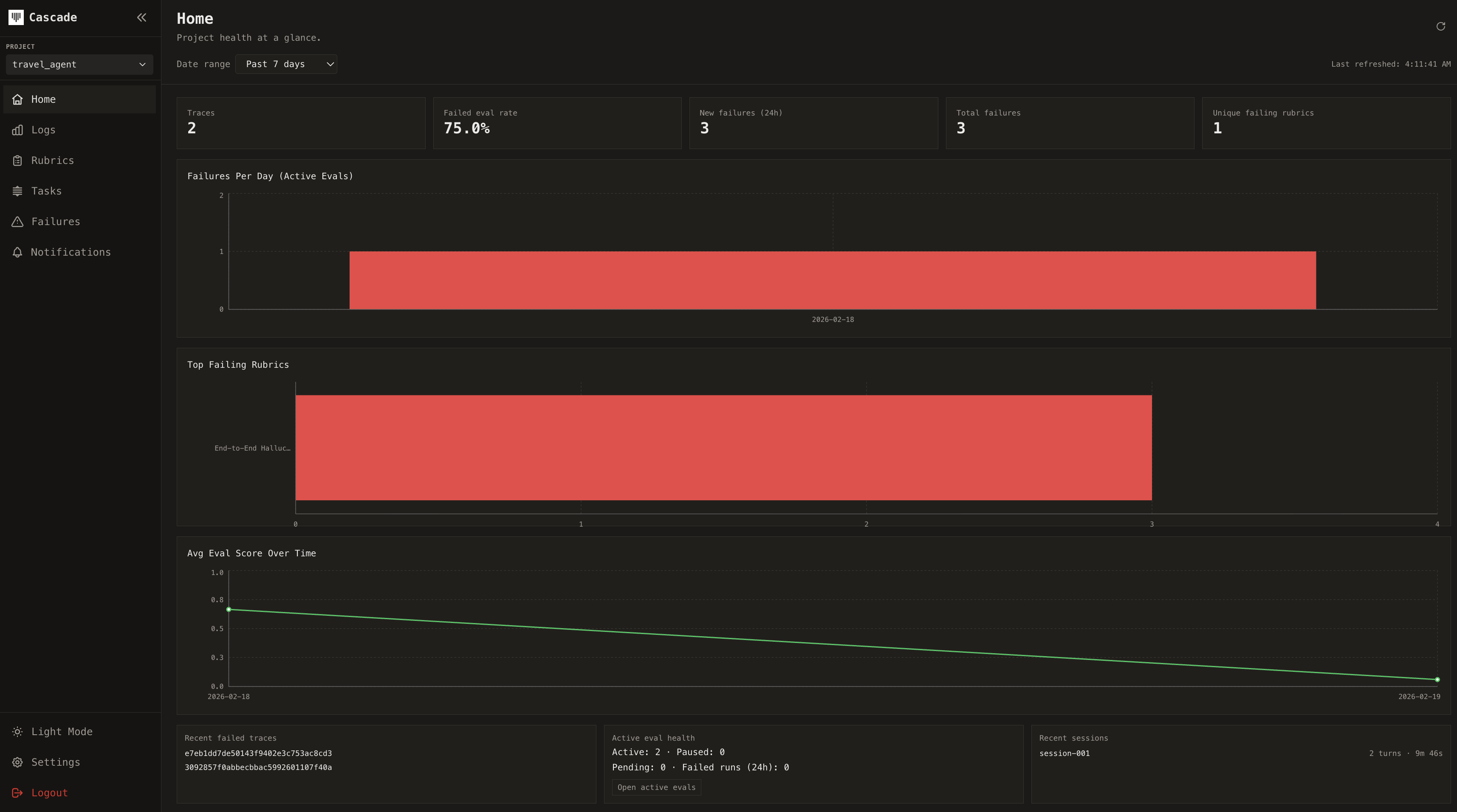 ## What Cascade does
Cascade instruments your agents at runtime to give you complete visibility and control:
* **Autonomous evaluations**: Score performance using evaluation models trained on millions of production executions. From zero-code auto-evaluation to full programmatic control
* **Self-improving safety**: Cascade's proprietary defense models continuously fine-tune on your production data, learning what attack patterns look like for your specific agents.
* **Configurable defense layers**: Adjust defense sensitivity, add custom protections, and validate against your historical traces before deployment.
* **Complete tracing**: Capture every LLM call, tool invocation, sub-agent delegation, and decision point as a hierarchical trace with full execution context
* **Framework integrations**: Instrument LangGraph, OpenAI Agents SDK, and Claude Agent SDK with a single function call
* **Multi-provider support**: Trace any LLM provider including Anthropic, OpenAI, and OpenRouter through a unified wrapper
## Evaluation Engine
Unlike traditional tools, Cascade doesn't just log what happened - it understands why. Our evaluation engine learns which failures actually matter for your use case and automatically adapts to your agent's behavior over time.
## Explore the docs
Install the SDK and get started in minutes.
Capture the full execution tree of your agents.
Score and monitor agent performance automatically.
Auto-instrument popular agent frameworks.
## What Cascade does
Cascade instruments your agents at runtime to give you complete visibility and control:
* **Autonomous evaluations**: Score performance using evaluation models trained on millions of production executions. From zero-code auto-evaluation to full programmatic control
* **Self-improving safety**: Cascade's proprietary defense models continuously fine-tune on your production data, learning what attack patterns look like for your specific agents.
* **Configurable defense layers**: Adjust defense sensitivity, add custom protections, and validate against your historical traces before deployment.
* **Complete tracing**: Capture every LLM call, tool invocation, sub-agent delegation, and decision point as a hierarchical trace with full execution context
* **Framework integrations**: Instrument LangGraph, OpenAI Agents SDK, and Claude Agent SDK with a single function call
* **Multi-provider support**: Trace any LLM provider including Anthropic, OpenAI, and OpenRouter through a unified wrapper
## Evaluation Engine
Unlike traditional tools, Cascade doesn't just log what happened - it understands why. Our evaluation engine learns which failures actually matter for your use case and automatically adapts to your agent's behavior over time.
## Explore the docs
Install the SDK and get started in minutes.
Capture the full execution tree of your agents.
Score and monitor agent performance automatically.
Auto-instrument popular agent frameworks.