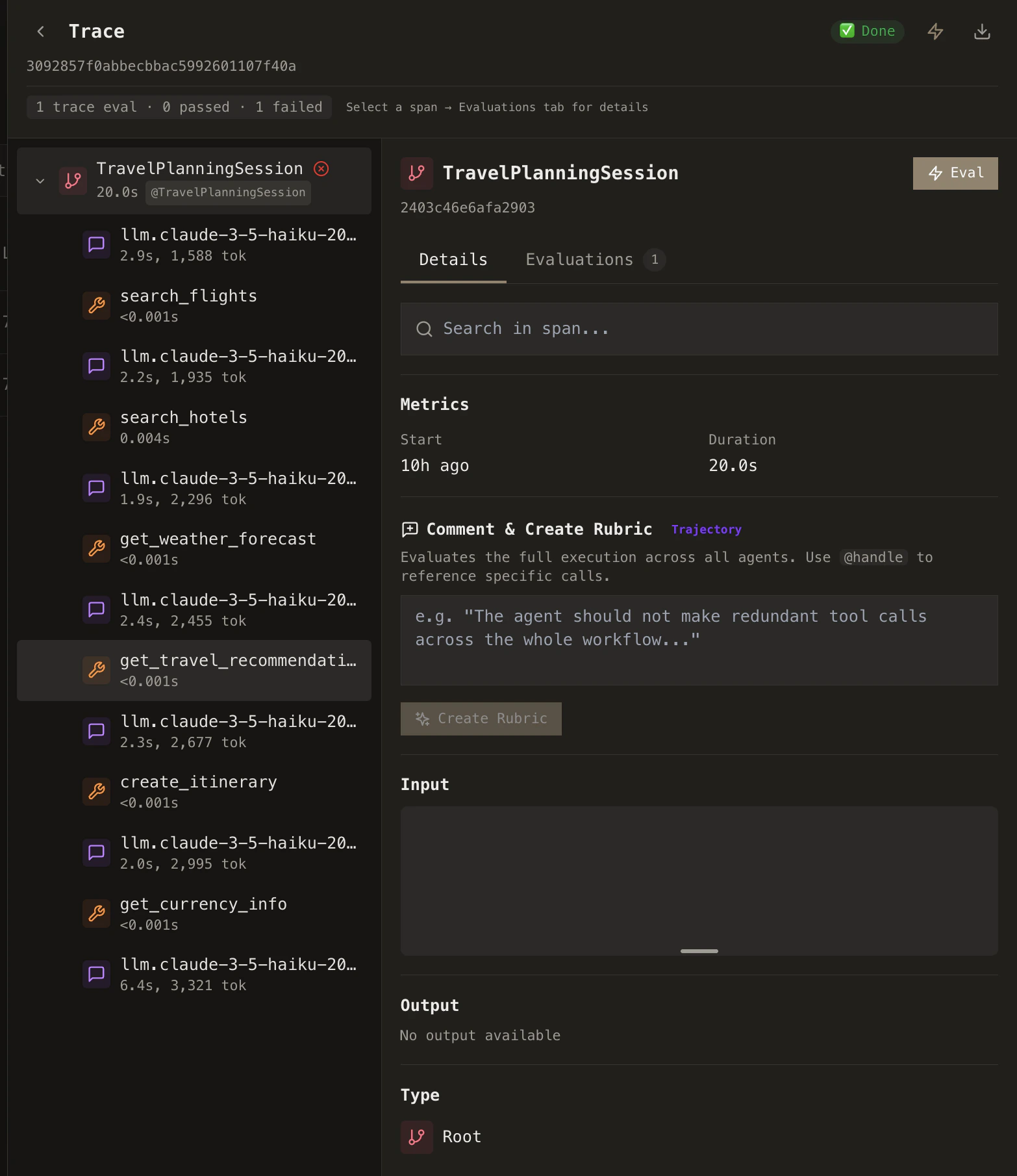
Evaluation scope
When you create a rubric, you choose its evaluation scope: trace-level, span-level, or session-level. The scope determines what data the rubric can access and what it evaluates.Trace-level
Evaluates the entire agent execution from start to finish. Has access to all LLM calls, tool calls, and the full trajectory.
Use for: Overall quality, hallucination detection, efficiency
Span-level
Evaluates individual steps—one LLM call or one tool call. Only has access to that specific span’s data.
Use for: LLM response quality, tool correctness, individual step validation
Session-level
Evaluates the full session trajectory across multiple traces/turns in one rubric run.
Use for: Multi-turn continuity, cross-trace consistency, overall journey quality
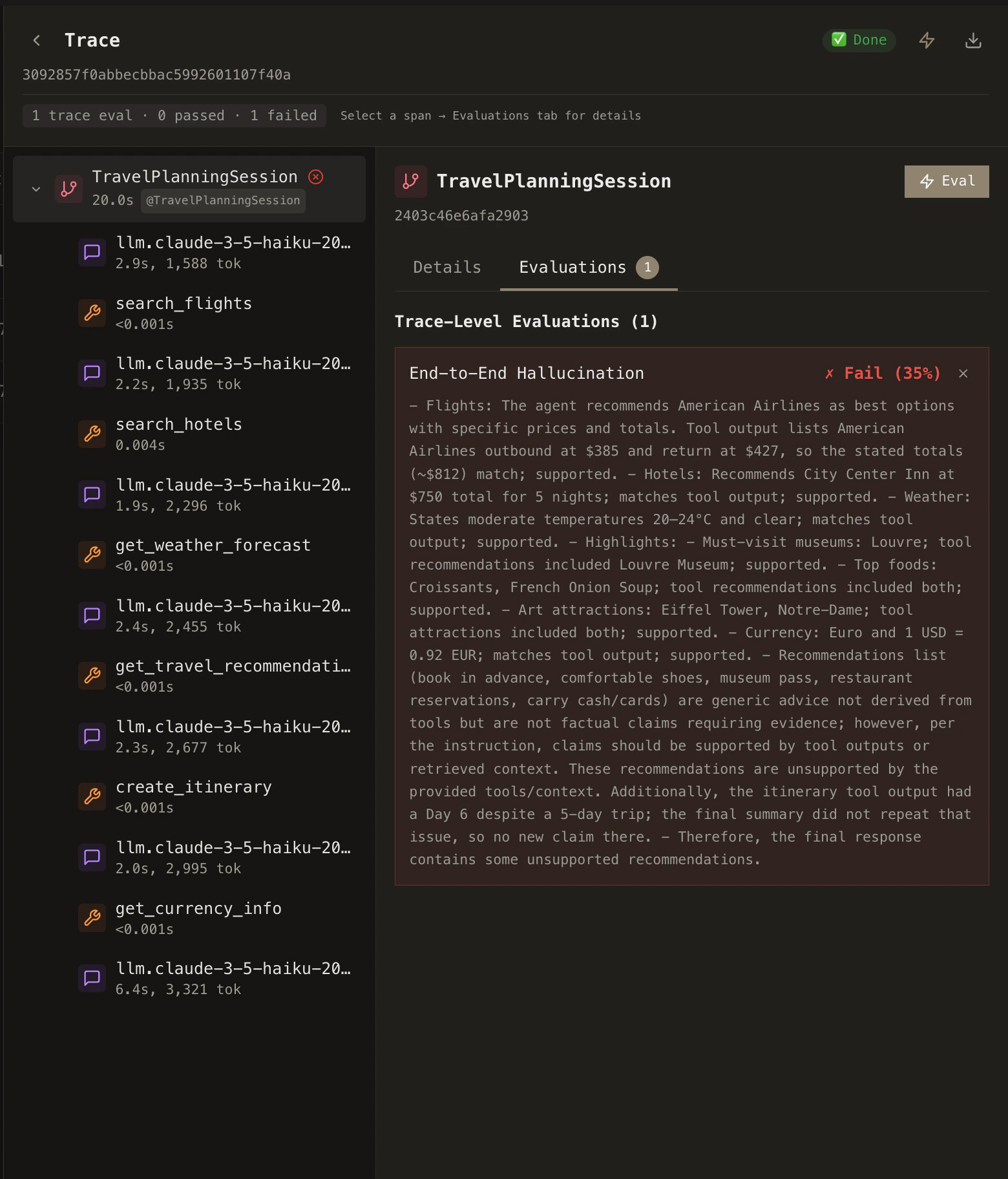
Template variables
Inside your Evaluation Template—the prompt field you enter when creating a rubric—you use double curly braces{{variable_name}} as placeholders. Cascade replaces each placeholder with the actual value for the trace, span, or session being evaluated. The variables available depend on the rubric’s scope.
- Trace-level
- Span-level
- Session-level
string
Initial input to the agent / trace entry
string
Final output of the trace
string
Retrieval context (if available)
string
Full execution trajectory (all LLM & tool calls grouped by agent)
number
Total number of spans in the trace
string
All tool calls (name, input, output per call)
string
All LLM calls (model, prompt, completion per call)
string
Total trace duration
boolean
Whether the trace has errors
Pre-built rubrics
Cascade ships with a library of ready-to-use rubrics covering general and use-case specific failure modes: helpfulness, hallucination, tool usage efficiency, and more.1
Browse rubrics
Go to Rubrics in the sidebar and browse the built-in templates. Each rubric comes with a pre-configured rubric prompt, threshold, and output type.
2
Activate
Select the rubrics relevant to your agent and activate them.
3
Customize
Every pre-built rubric can be customized after activation. Adjust the prompt template, change the threshold, switch the model, or modify the scoring criteria to match your domain.
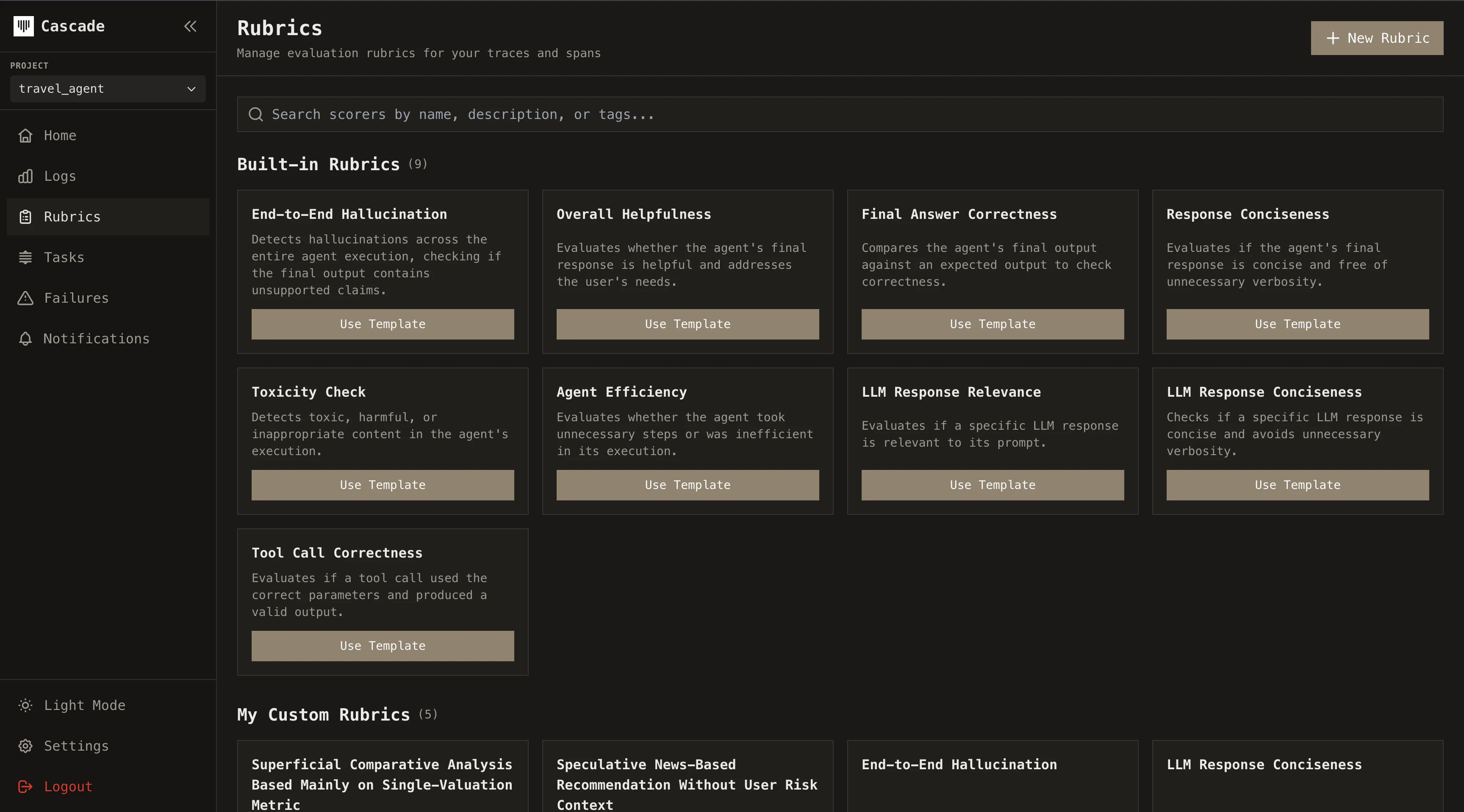
Custom rubrics
When pre-built rubrics don’t cover your use case, create your own. From the Rubrics page, click Create Rubric and choose between:Eval Model
Write a natural-language prompt that our model uses to evaluate your agent’s behavior. Supports binary (pass/fail), scale (0-1), or classification outputs.
Code Rubric
Write a Python function that programmatically checks agent outputs against your own logic.
Coming soon
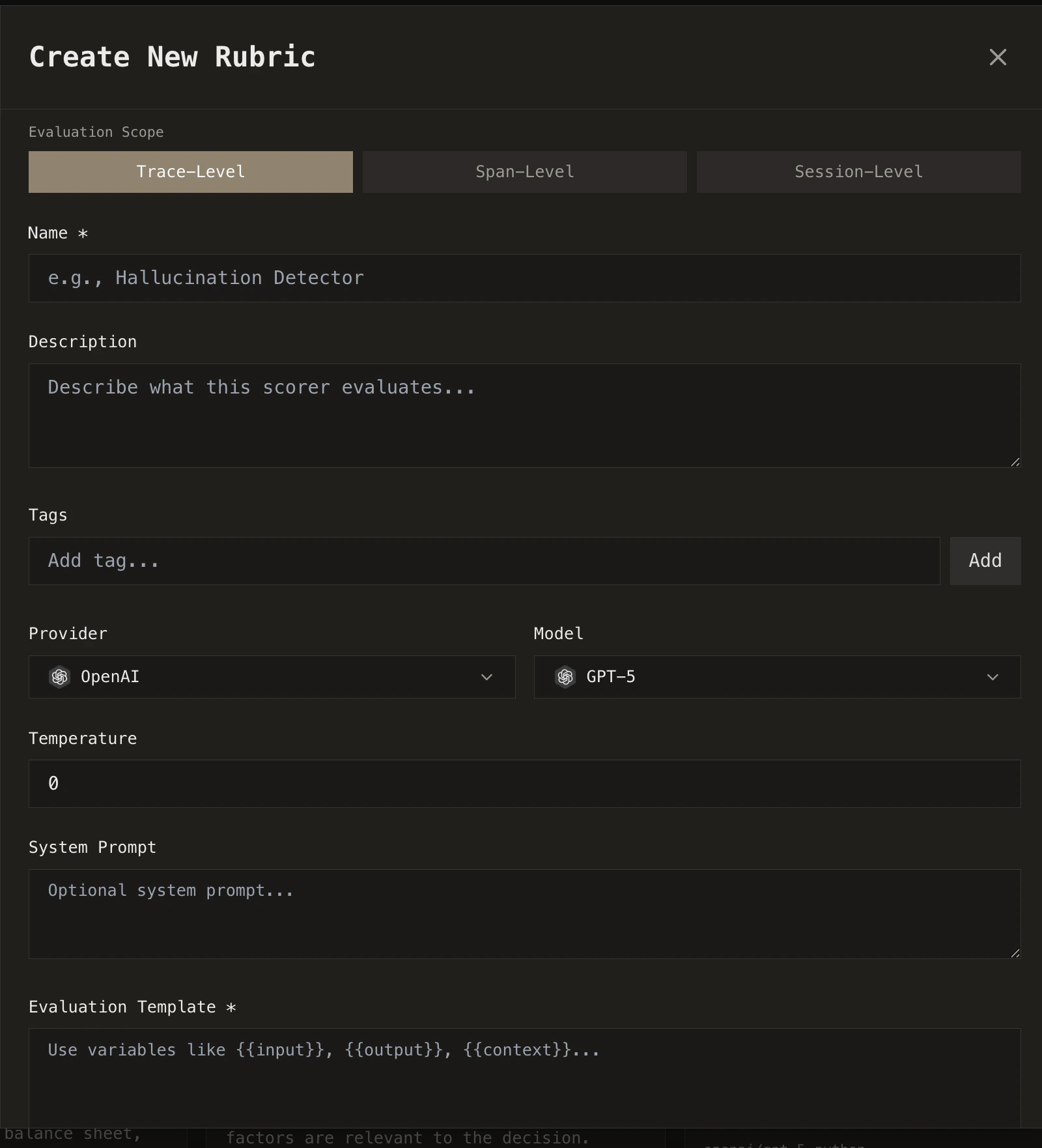
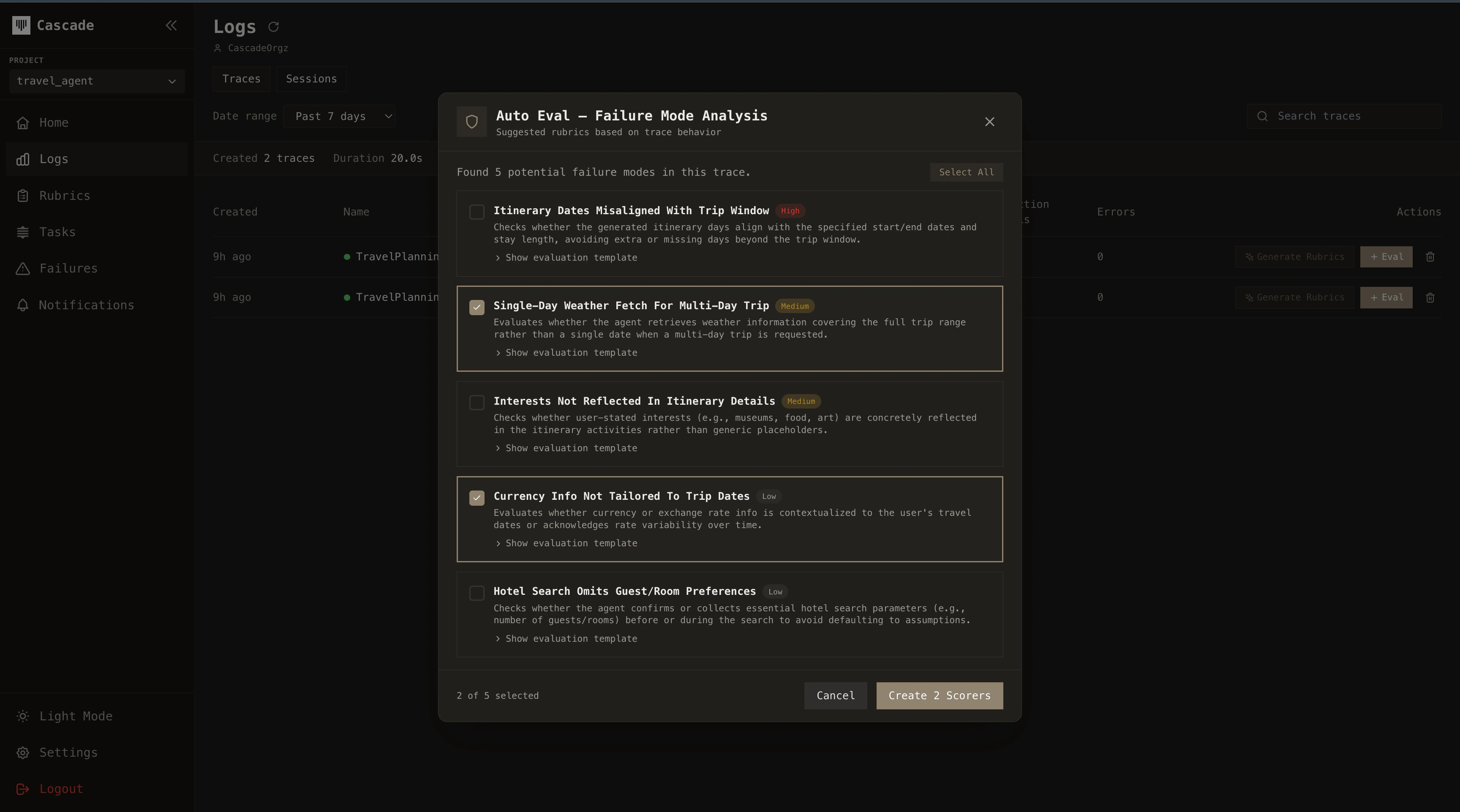
Auto evals
Auto Evals analyze your trace data to surface what matters before you even define a rubric. Access them by pressing the Generate Rubric button while viewing a trace.How it works
1
Collect patterns
Cascade collects trace data across your agent’s executions (tool call patterns, LLM outputs, decision paths, error rates) and identifies recurring behavioral patterns.
2
Detect critical paths
From these patterns, it detects which parts of the execution are most critical for your agent to succeed and where potential failures are likely to occur.
3
Review and activate
The result is a curated set of suggested rubrics tailored to your agent’s actual behavior. You review the suggestions and select which ones to activate. No manual prompt engineering required.
Rubric generation from human comments
The fastest way to create a rubric is to describe what went wrong. While reviewing a trace, you can leave comments directly on any span: a tool call that returned bad data, an LLM response that missed the point, or an agent that took an unnecessary detour. Use@handles to reference specific spans in your comment.
Cascade takes your comment, analyzes the trace context, and automatically generates a rubric that captures the issue. That rubric then runs against future traces, catching the same class of problem before it reaches users.