The Failures page is where every evaluation failure across your agents is surfaced in one place. When a scorer flags a trace as failing (whether from a batch run, a scheduled evaluation, or a manual eval) it gets logged here with the scorer name, score, reasoning, and a direct link to the trace.

Tracking failures

Failures are tracked with daily counts and broken down by scorer type, so you can spot trends at a glance. A sudden spike in hallucination failures after a prompt change, or a gradual increase in tool-usage failures as your agent handles more edge cases. These patterns show up immediately. Each failure entry includes the scorer’s reasoning explaining why it failed, so you don’t have to re-run the evaluation to understand the issue.
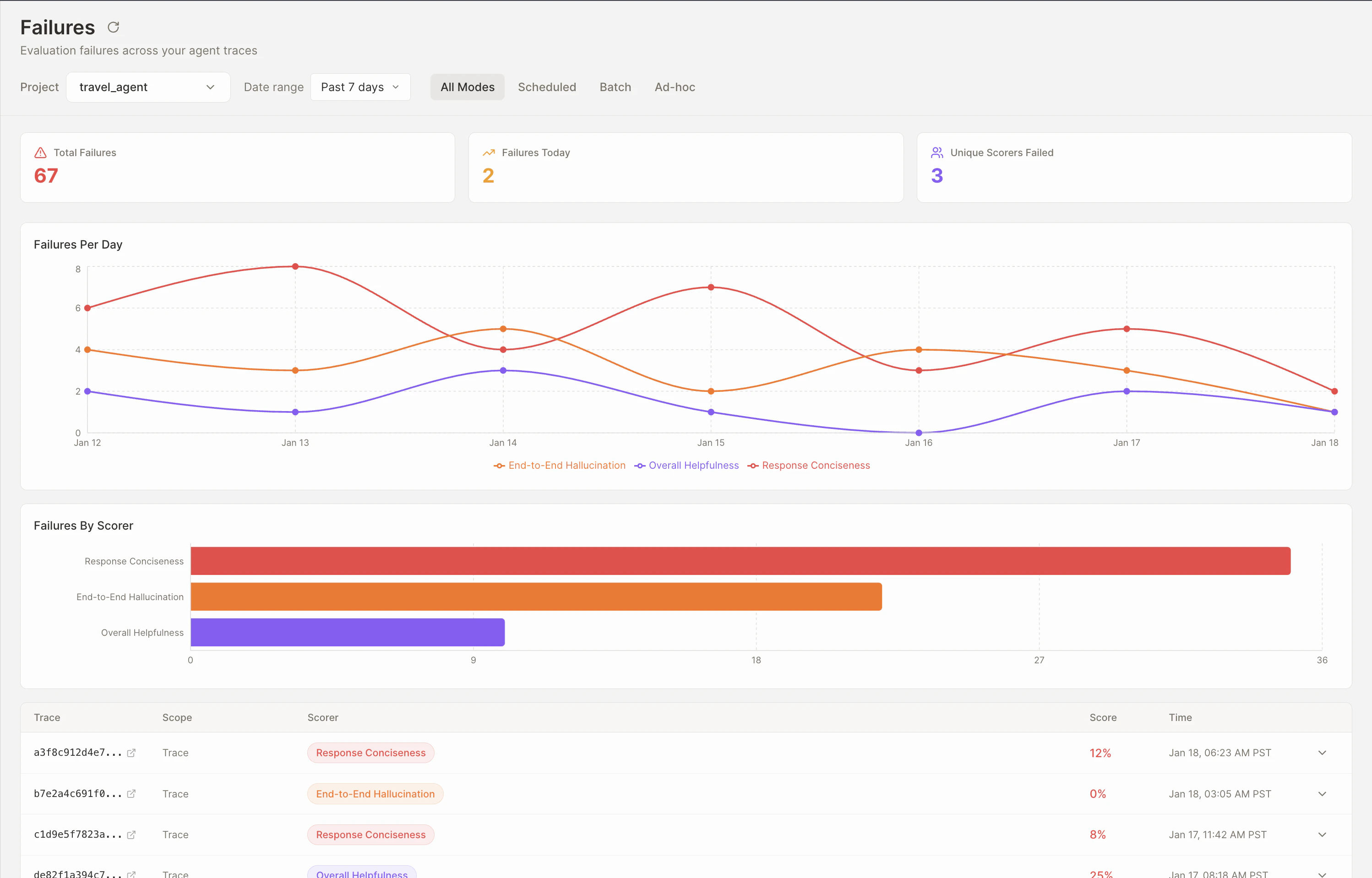
Failures overview showing daily failure count chart, breakdown by scorer type, and individual failure entries

Diagnosing issues

Every failure links directly to its source trace. Click through to open the full trace tree, inspect the exact LLM call, tool response, or agent decision that caused the failure, and understand the root cause in context.