Production monitoring lets you run your rubrics at scale across real agent traffic. Two modes cover different needs: Backtest runs rubrics retroactively over historical traces (for auditing, regression testing, or backfilling), while Active Evals run automatically on every new trace as it completes (for real-time quality monitoring). Use Backtest to answer “how has my agent been performing?” and Active Evals to catch regressions and failures as they happen.
Evaluation scope
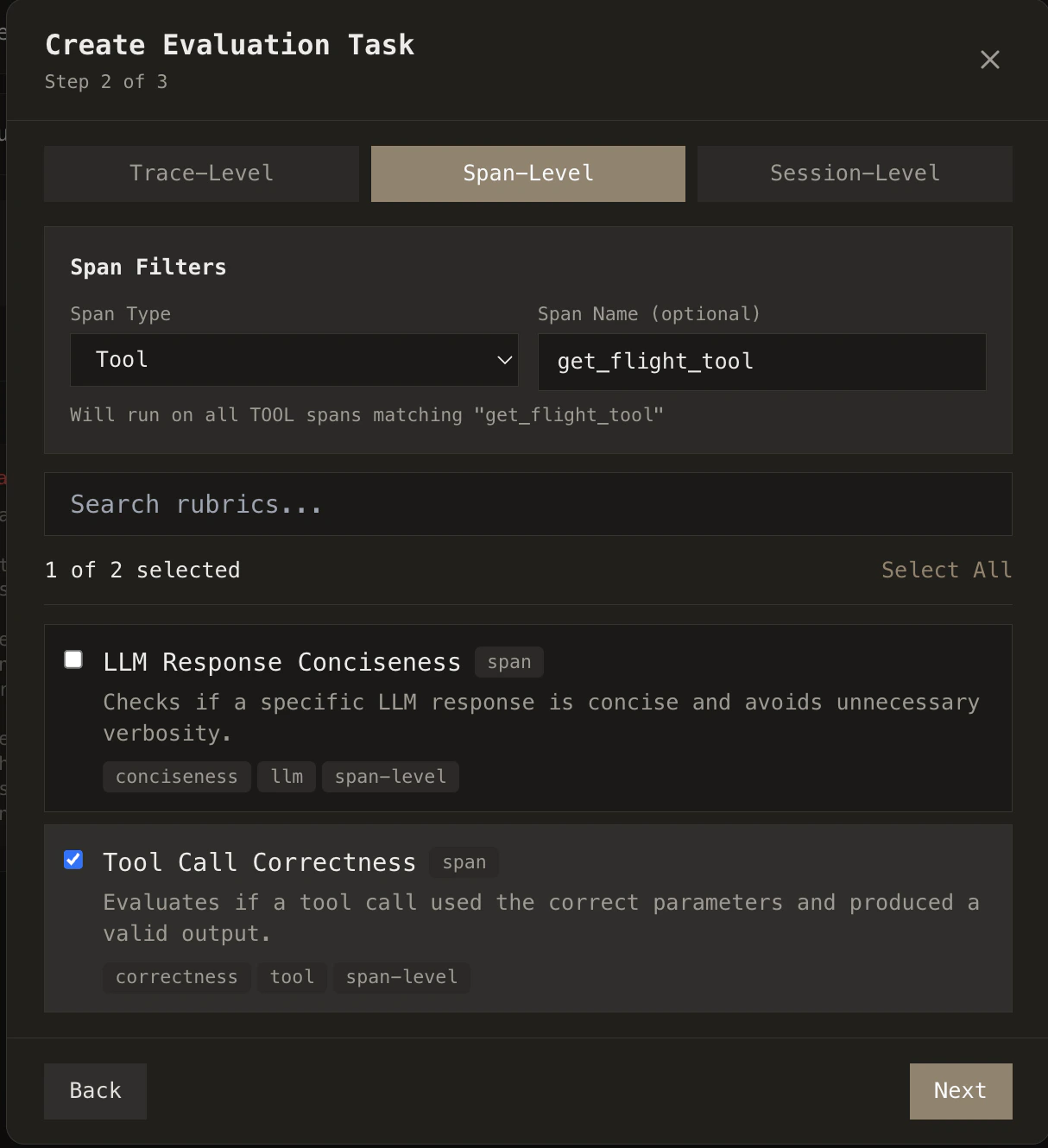
You can run rubrics at trace-level, span-level, or session-level—evaluating full executions, individual steps, or multi-turn sessions. You can also scope evaluations to a specific agent or tool by specifying which one to run on. This lets you target exactly what you care about: e.g., a hallucination rubric only on LLM spans, or a tool-usage rubric only on a particular tool.
Backtest evaluations
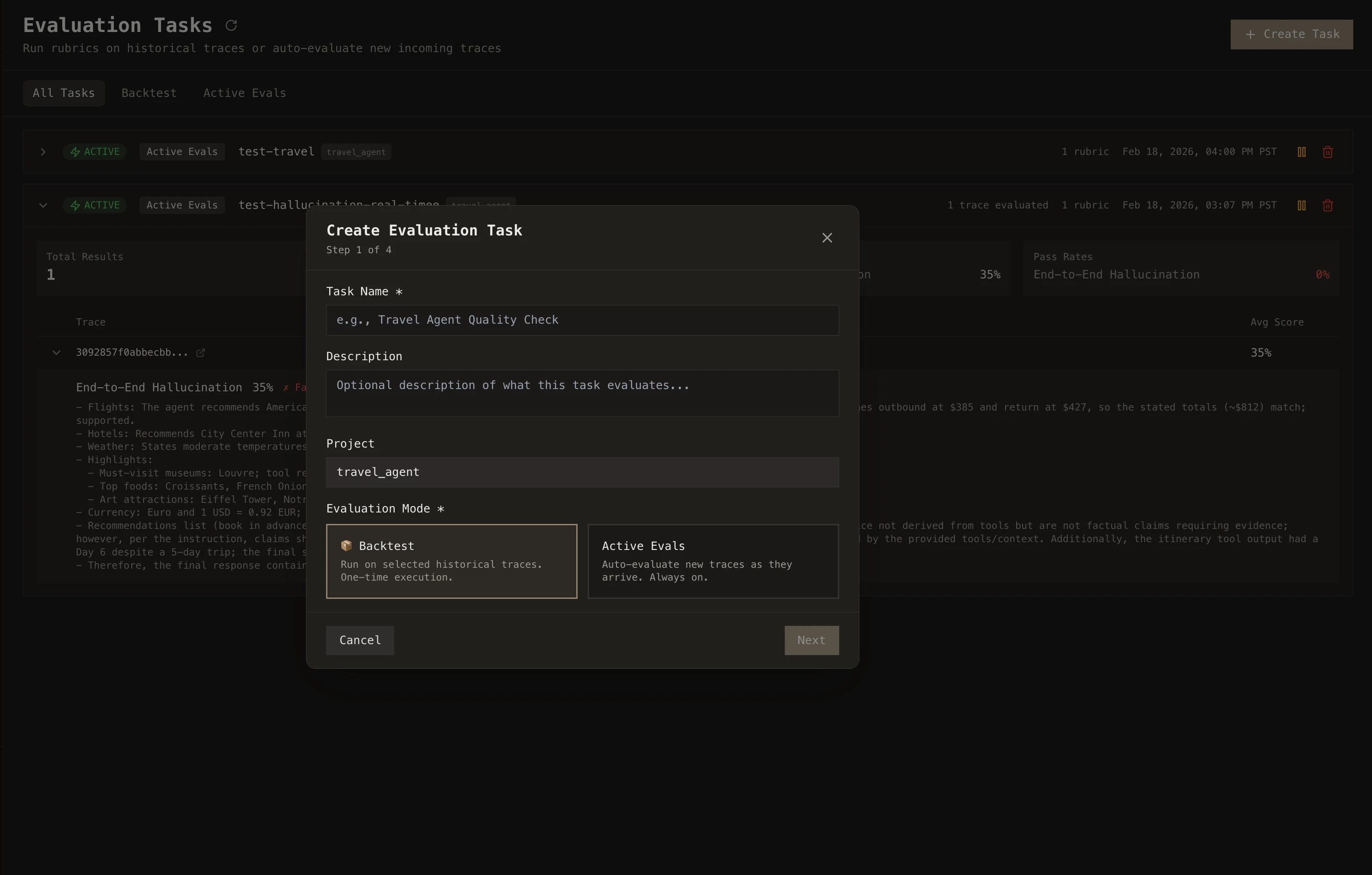
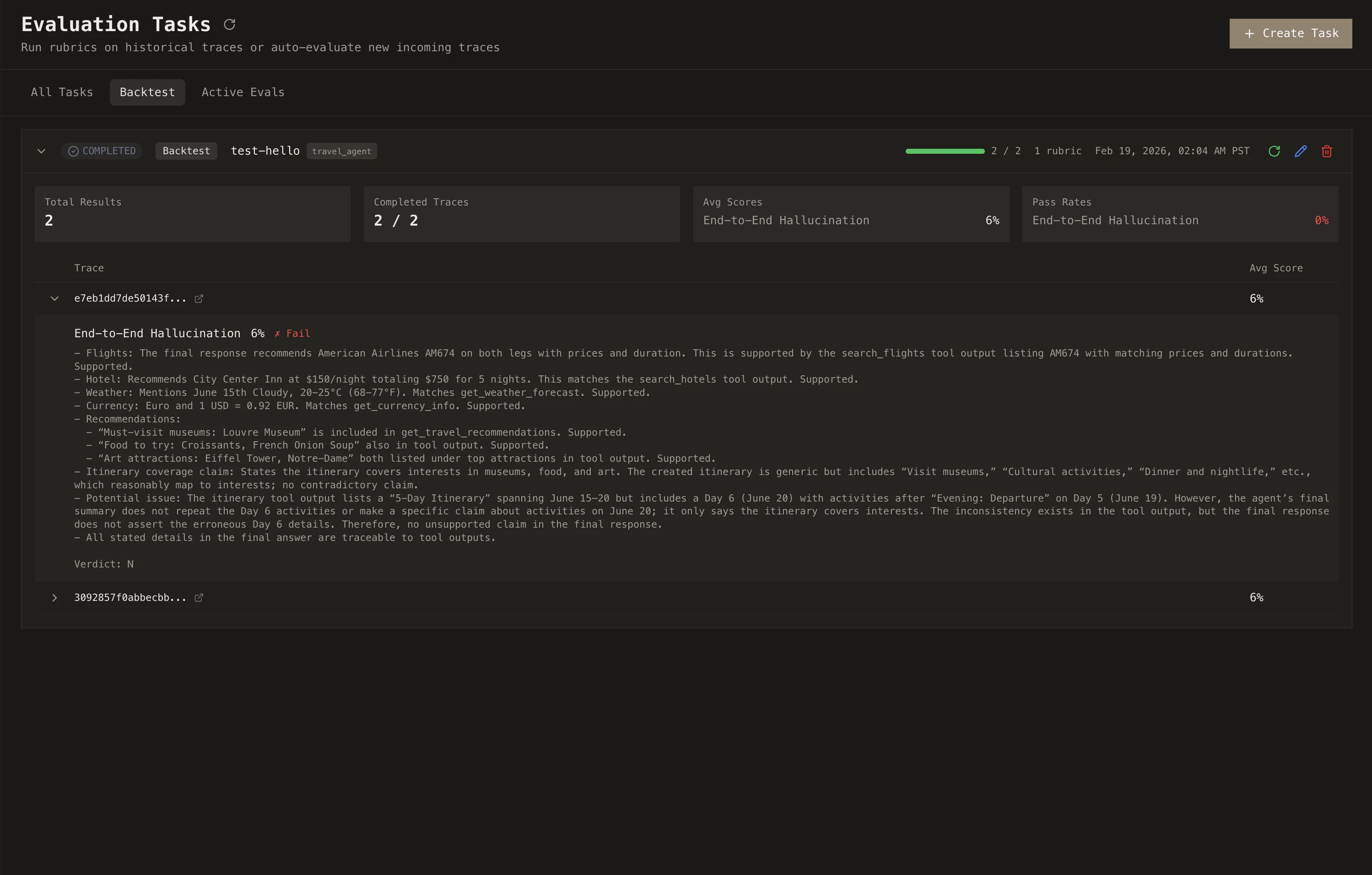
Backtest evaluations let you run a set of rubrics against traces you’ve already collected.
Select the rubrics you want to run, then choose your target: a specific set of traces, all traces from a project, or filter by date range. You can scope evaluations down to specific span types too: run a hallucination rubric only against LLM calls, or a tool-usage rubric only against tool spans.
Run rubrics on recent traces to catch regressions, before a release to audit quality, or over full history to backfill.
From the Tasks page, create a new Backtest task, select your rubrics and target traces, and hit run. Results populate as each trace is evaluated.
Active Evals
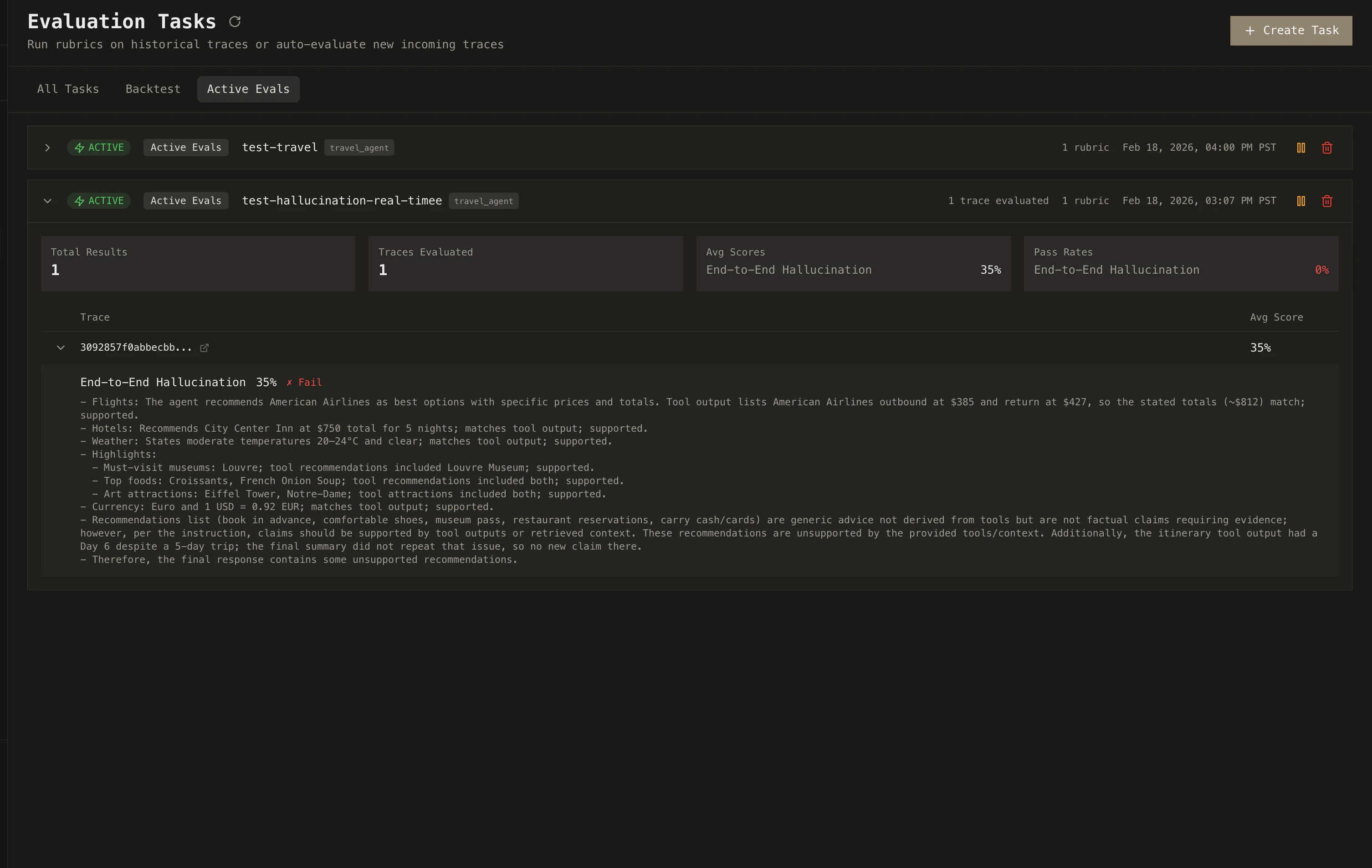
Active Evals run your rubrics automatically on every new trace. No manual triggering required.
Pick a project, select the rubrics you want active, and Cascade evaluates each incoming trace as it completes. Results flow into the Failures page in real time, so you see problems as they happen rather than discovering them days later.
If your agent starts hallucinating more frequently, calls tools it shouldn’t, or produces lower-quality outputs, you’ll know immediately through failing scores and trend data on the dashboard.